

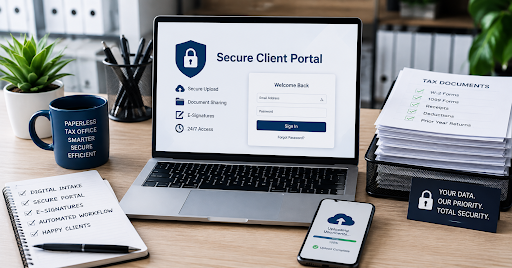
Utilizing an up-to-date secure client portal will enable you to simplify your documentation process, maintain the privacy of your financial information, and make your clients’ journey easier from start to finish. It takes the right approach and technology to move toward building a fully digitalized firm.
Managing a conventional tax office usually involves getting stuck with piles of paperwork, a bunch of emails, and desktop folders. Having to work through piles of paper documentation not only takes a toll on your desk space, but it becomes a true administrative hassle when the season peaks. The following guide will help you digitize your tax office.
1. Audit Your Current Workflow and Document Flow
Before you look at any technology, map out how your firm currently handles client files. Track a tax return from the moment a client books an appointment to the final digital delivery.
Identify every point where paper slows things down. Are clients mailing W-2s? Are you printing organizers and physical copies of returns? Pinpointing these friction points helps you decide what needs immediate digitization. This audit ensures your new workflow mimics your best operational habits without carrying over inefficient legacy habits.
2. Choose the Right Dedicated Platform
Generic cloud storage folders or standard email attachments will not cut it when handling sensitive social security numbers and tax returns. You will require specialized software that acts as an encrypted and secure client portal designed explicitly for financial professionals.
It is important to have such features as end-to-end encryption, MFA, automatic reminders, and customization options. The software developed as a secure client portal for accountants will contain features such as electronic signatures, tracking of the filing process, and permission management.
3. Establish Clear Digital Naming and Folder Conventions
A paperless office will only work if all members of your team have access to the documents immediately. It won’t take long for chaos to ensue once the mess of paper is gone if you don’t have a file organization system in place.
Set up a standard directory structure for each of your clients. This might look something like tax year directories with folders such as Source Documents, Previous Tax Year Returns, and Filled Out Returns. Have a consistent naming policy, like ClientLastName_2025_W2_EmployerName.pdf, throughout your organization.

4. Deploy a Reliable Secure Client Document Portal
Having chosen the software of your choice, the next step is to configure the user interface that is to be faced by the clients. The thing is that the user interface should be smooth irrespective of the age group, from the tech-savvy millennials to the people who like everything simple.
There should be automatic emails welcoming the client in order to assist him with logging in. A secure client document portal is very important to avoid any security issues with emails since it helps the client drag and drop sensitive documents into a password-protected portal.
5. Implement Secure Digital Intake and E-Signatures
Gathering tax data shouldn’t require printing out fifty pages of questionnaires. Modern portals feature smart digital intake forms that populate your database automatically.
Combine your intake forms with integrated electronic signature tools compliant with IRS and industry standards. This lets your clients sign Form 8879 and final returns remotely from their smartphones or computers. You drastically cut down turnaround times while maintaining a clear, immutable audit trail of who signed what and when.
6. Train Your Staff and Educate Your Clients
Technology depends upon the people who use it. Hold workshops for your administrative team and other assistants to make sure that they are aware of all the features of your new technology ecosystem.
While doing this, make sure that you ease the process of transition for your clients. Send a short video guide or a PDF guide for uploading documents. Make them feel more secure about their personal information being transferred into the new system as they will be protected against data leaks.
7. Enforce Strict Internal Security Protocols
Having a paperless office moves your risk profile from something physical to something digital. Your security will depend on keeping both your devices secure as well as your software settings.
Require that all employees have multi-factor authentication enabled. Do not allow any employees access to your database through an unprotected Wi-Fi network. Review access records periodically and revoke all access rights once an employee leaves your firm.
Is a secure portal better than using encrypted email for tax documents?
Yes. Encrypting an email is extremely challenging for a number of clients because of the need to decrypt it themselves. With a custom portal, it is possible to create a user-friendly space that enables users to access past returns and upload documents via a secure system, without handling encrypted email keys.
Conclusion
Becoming paperless with regard to tax offices requires some preparation, but the result is well worth it. It allows saving numerous hours during tax season and providing the best service to your clients. In order to achieve that, it is necessary to analyze the process of document exchange and choose the right platform.
